10 New Hidden WhatsApp Features You Should Try Now
You've been using WhatsApp wrong — here's what it can really do now!

By Syazwan Bahri — 10 Apr 2025, 12:33 PM
WhatsApp has been actively working to enhance its user experience by consistently rolling out new features
Consequently, several updates have been implemented recently that users may have overlooked. These updates aim to significantly improve both the core chat functionality and the calling experience, making communication more seamless and efficient.
Additionally, WhatsApp has introduced a couple of new features specifically designed for its Channels function, catering to users who utilise this feature for broadcasting and following updates.

1. See Who's Online in Group Chats
To help you know if people are around to chat, you can now see how many people are ‘Online’ in real time, right under the group name.

2. Prioritise group notifications
Need an easy way to prioritise your group chat notifications? Use the new 'Notify for' setting and select 'Highlights' to limit notifications to @mentions, replies, and messages from saved contacts or 'All' to receive all notifications.
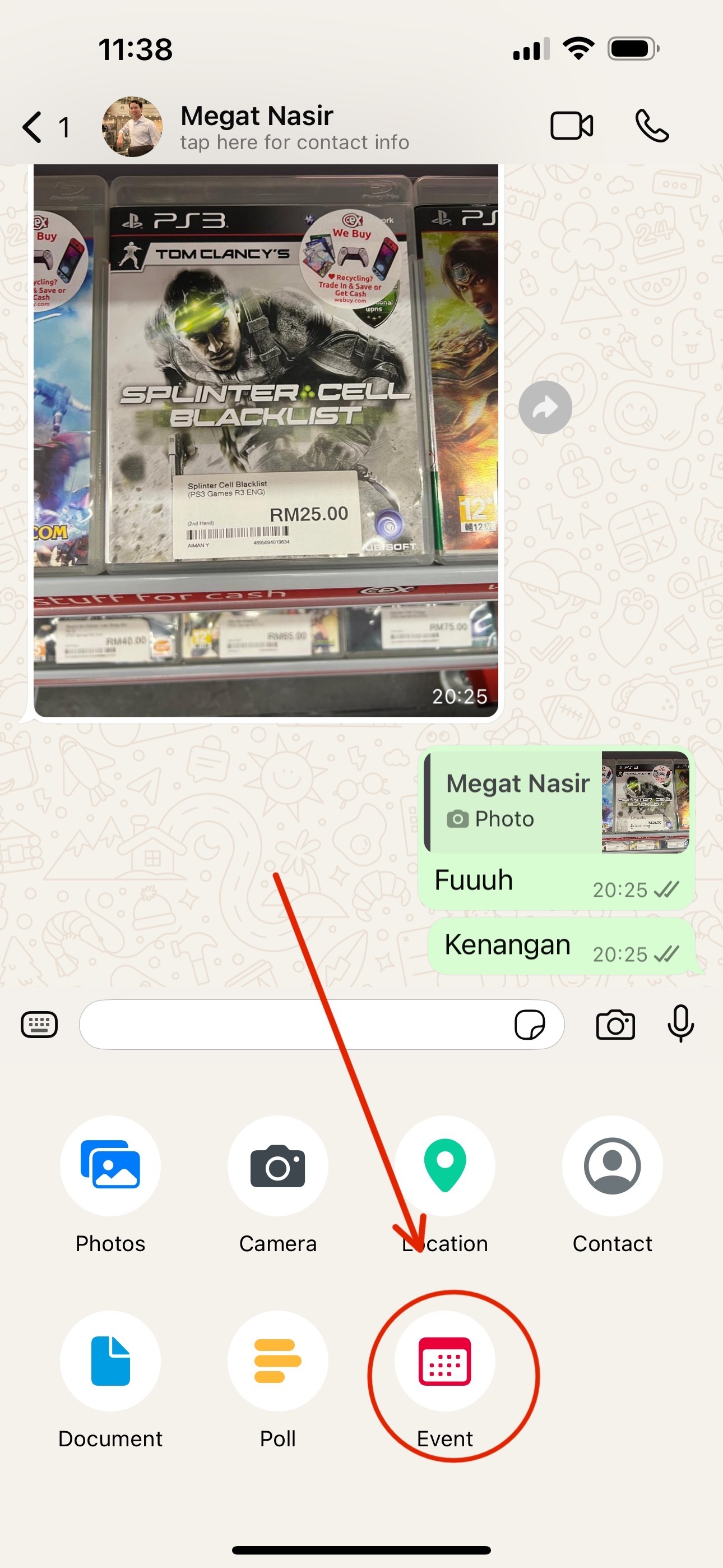
3. Create Events in 1:1 Chats
In addition to creating events in groups, you can now create an event in a 1:1 conversation. We’ve also added the ability to RSVP as 'maybe', invite a plus one, add an end date and time for longer events, and pin the event in a chat.
4. Use tappable reactions
Sometimes you just want to +1 to what someone else said. Now you can quickly view everyone else’s reactions and tap the one you want to send.
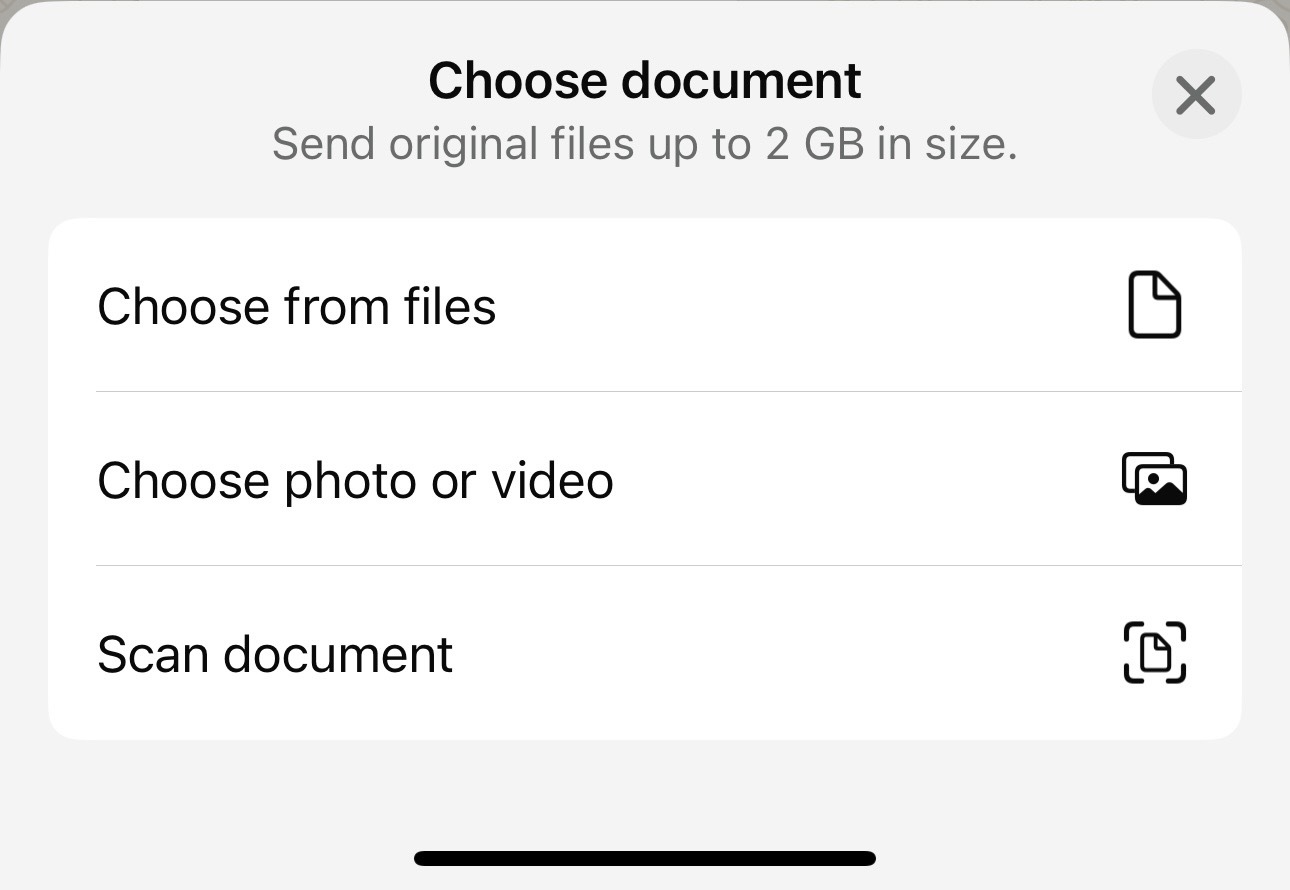
5. Scan documents within WhatsApp
Scan and send documents directly from WhatsApp on iPhone. Simply go to 'Document' > 'Scan document' from the attachment tray and follow the steps to scan, crop, and save.
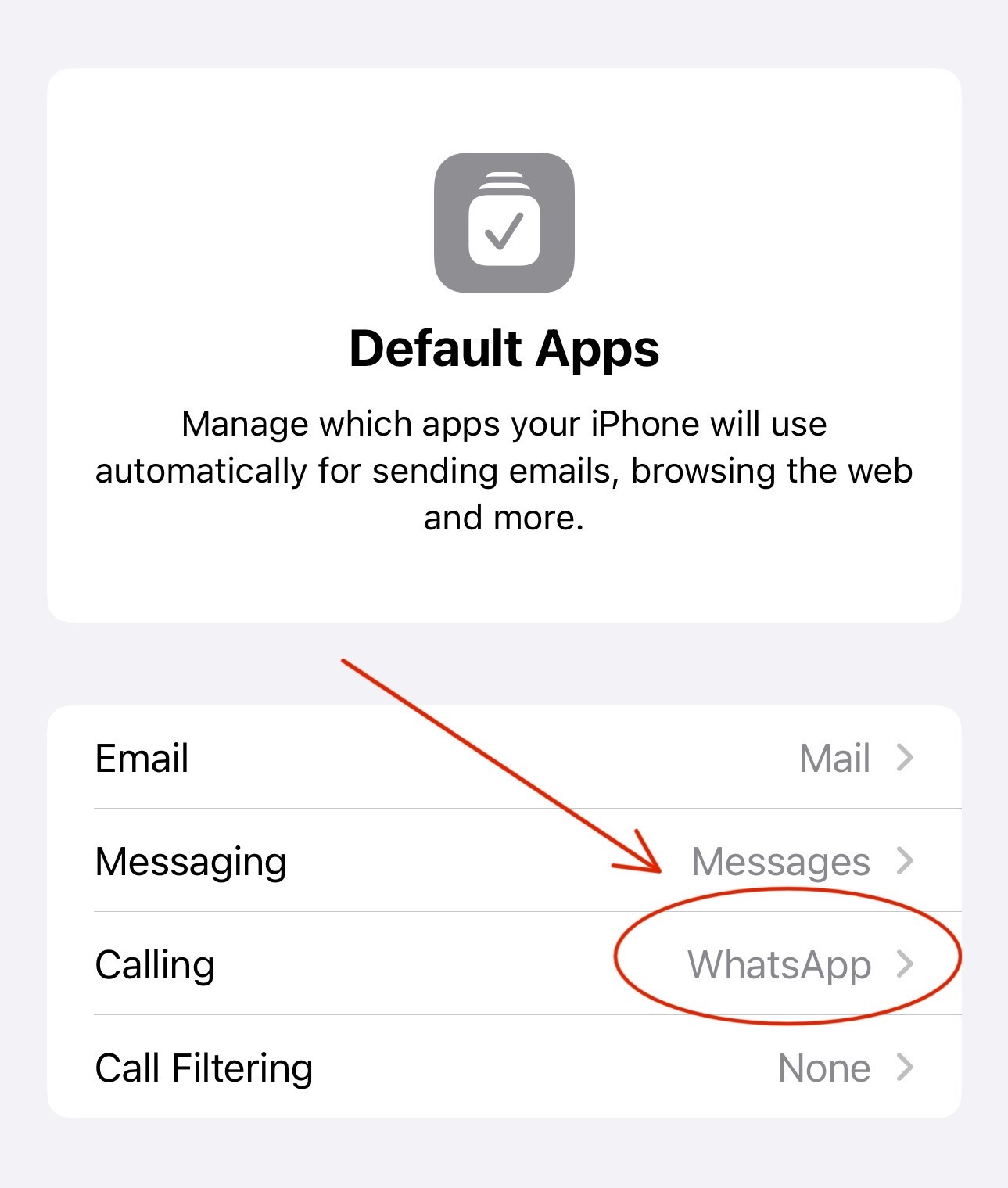
6. Change your default calling/messaging app on iOS
With the latest iOS update, you can now set WhatsApp as your default messaging and calling app on your iPhone. Simply go to Settings > Default Apps and select WhatsApp.
7. Pinch to zoom in video calls
iPhone users can now pinch to zoom in on a video during a video call to get a closer look at their own or their peer's video.
8. Add to call from a chat
You can now easily add someone to a one-on-one WhatsApp call that's already in progress. Just tap the call icon at the top of your chat screen and select the 'Add to call' option.
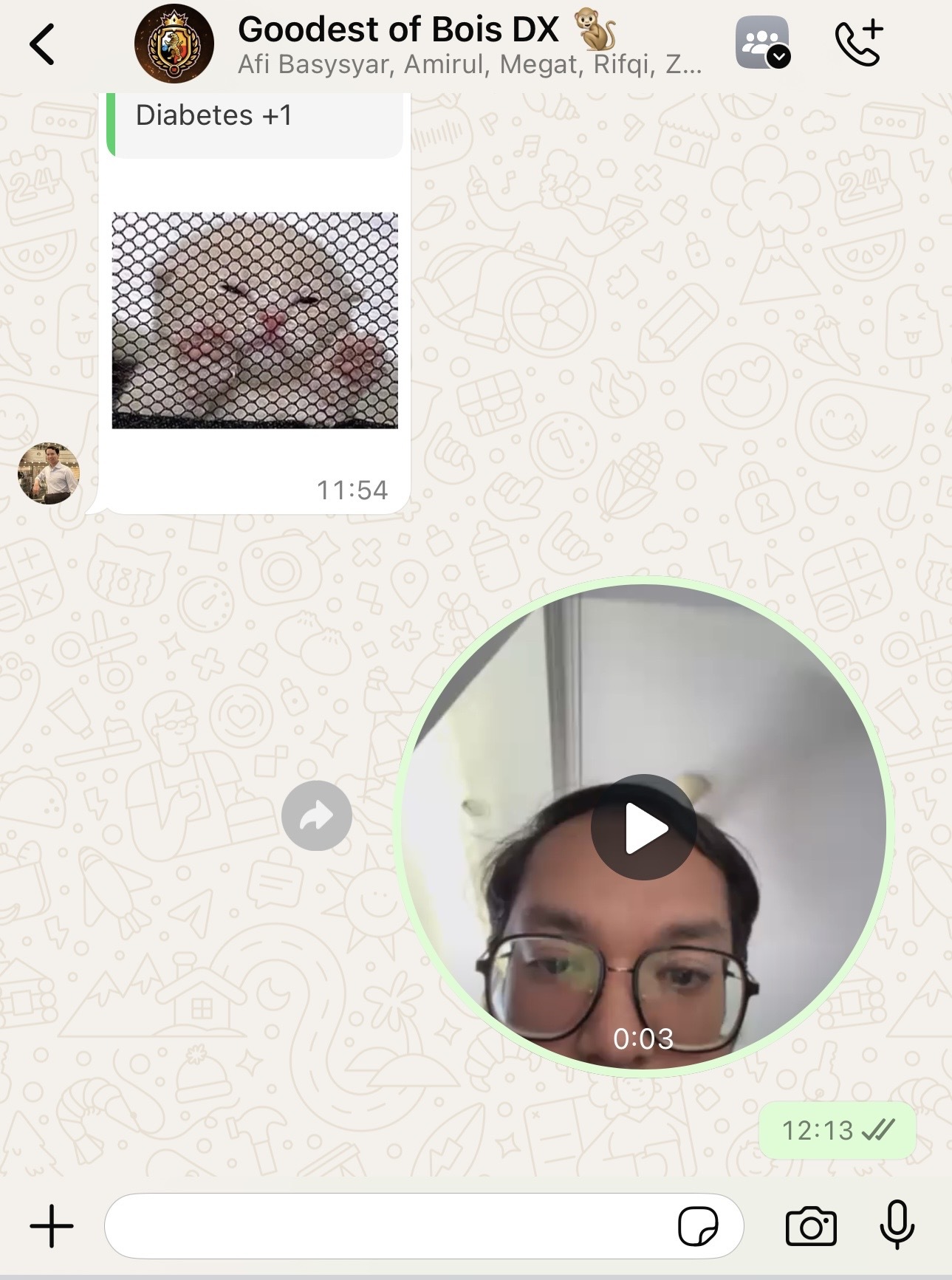
9. Video notes for Channels
Just like with regular chats, WhatsApp Channel administrators can now quickly record and post short video updates, up to 60 seconds in length, for their followers.
10. Voice message transcripts on Channels
WhatsApp Channels now offer a handy feature that provides written summaries of voice message updates. This is especially useful when you're on the move and can't listen to the audio directly.
